
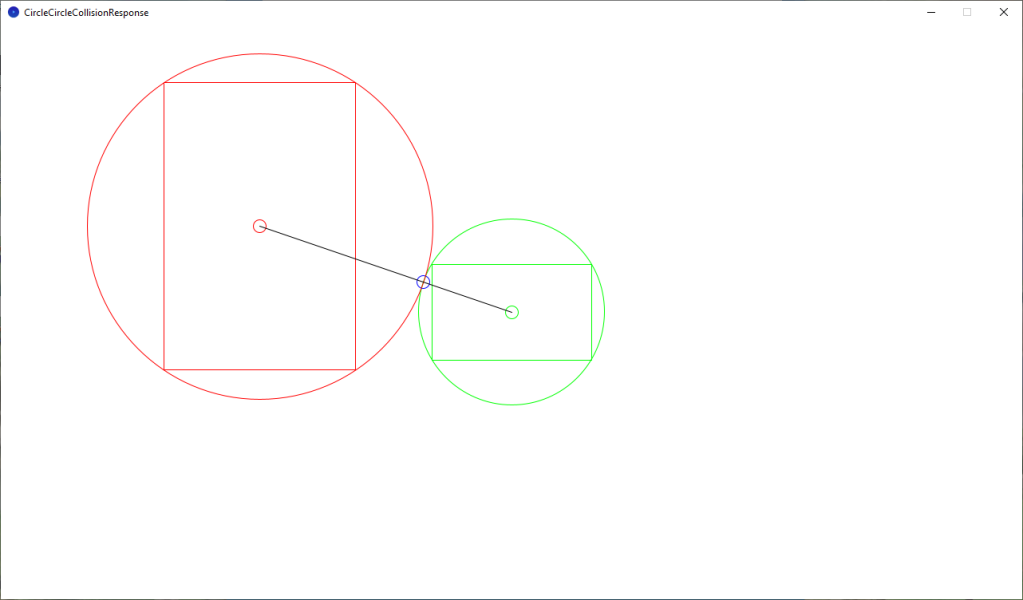
It would be impossible to hand craft an infinite world, so instead I generate a terrain sprite outside the camera viewport. I use the length of the camera and terrain rectangles, the direction the player is currently moving in and circles to position the terrain, so it is always just outside the viewport. Old terrain which is far from the player gets destroyed.
My approach is to fill the camera viewport with repeating grass tiles as a base layer. The position of the tiles is offset based on the camera position. To give the illusion of movement across the grass.

I then create a terrain sprite outside the viewport, based on the direction the player is currently moving in.
The green rectangle represents the camera viewport, which is the part of the world which the player can see. The red rectangle represents the generated terrain sprite which the player can’t currently see yet.
I use a circle surrounding the camera viewport rectangle represented by green, and a circle surrounding the terrain rectangle represented by red to position the terrain.
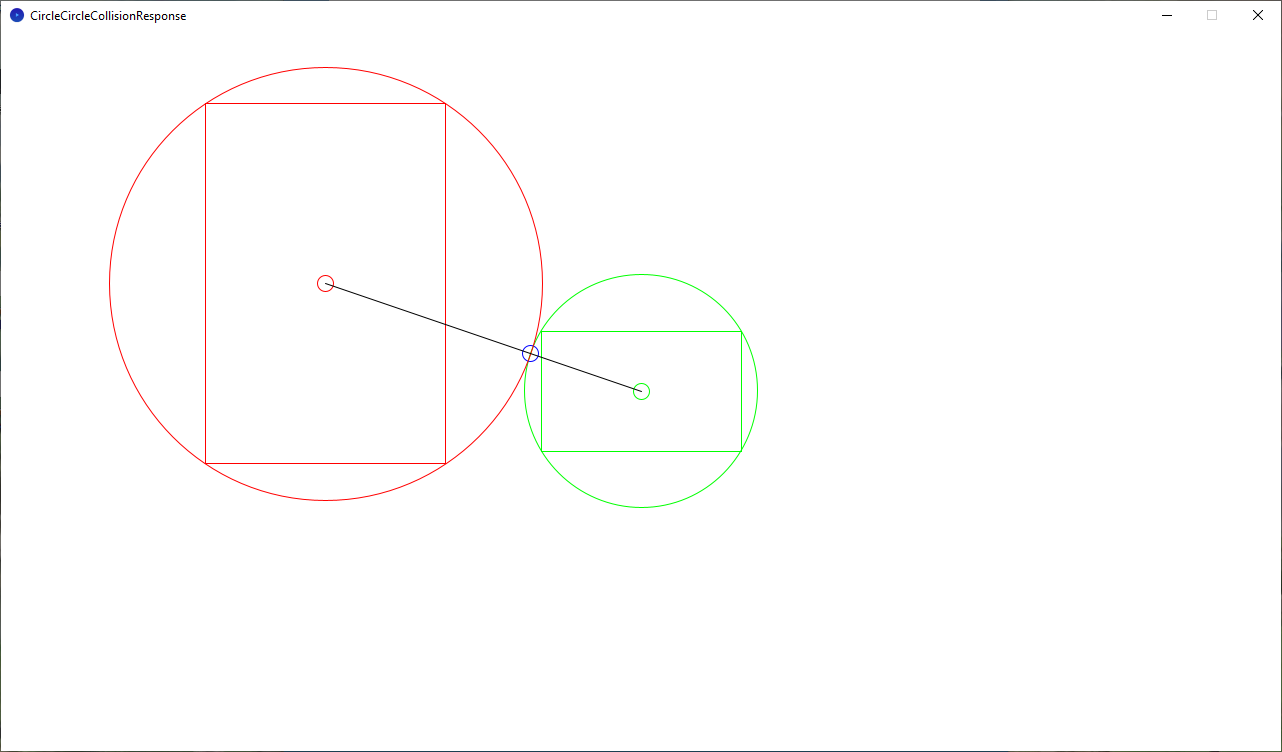
By calculating the length of the green rectangle, and halving it. I can get the radius for a circle which surrounds the green rectangle. Using the player direction and the radius I can get a point on the edge of the green circle represented by a blue circle in the image above.
I then just need the length of the red rectangle, which I again half. I then use this to get to where I want to place the terrain. Represented by a small red circle in the image above.
So essentially terrain is placed by solving a collision between two circles. I could of solved the collision between two rectangles instead. One rectangle for the camera and one rectangle for the terrain. But I think the circle will produce more natural results. Especially in games with 360 degree movement.
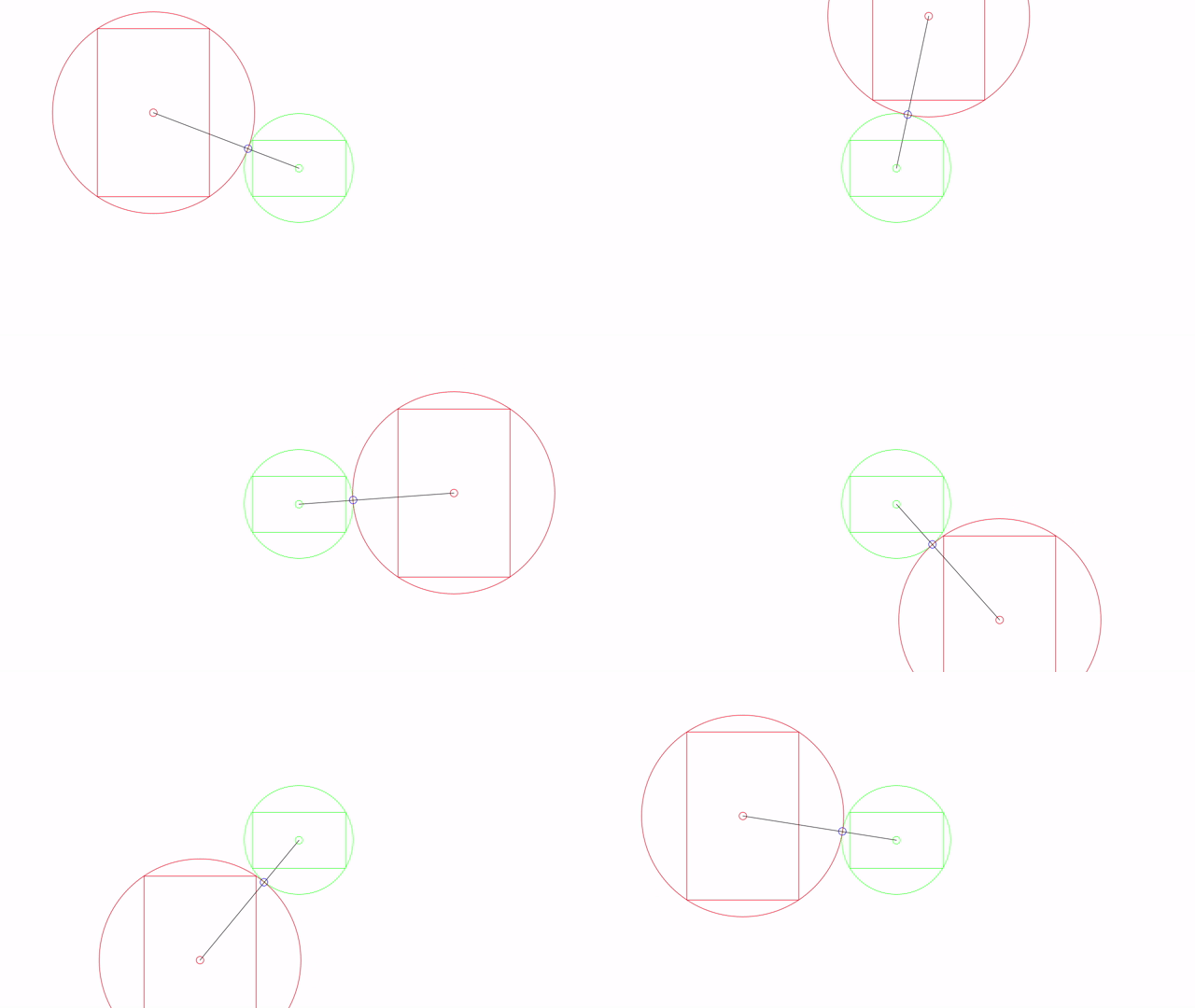
The terrain sprite also has to be snapped to a grid, so that it lines up with the grass tiles underneath.
The image below shows the camera viewport with mostly grass tiles, and a orange tennis court coming into view from the top left.

Thanks for reading!
 Agate DRAGON Games