
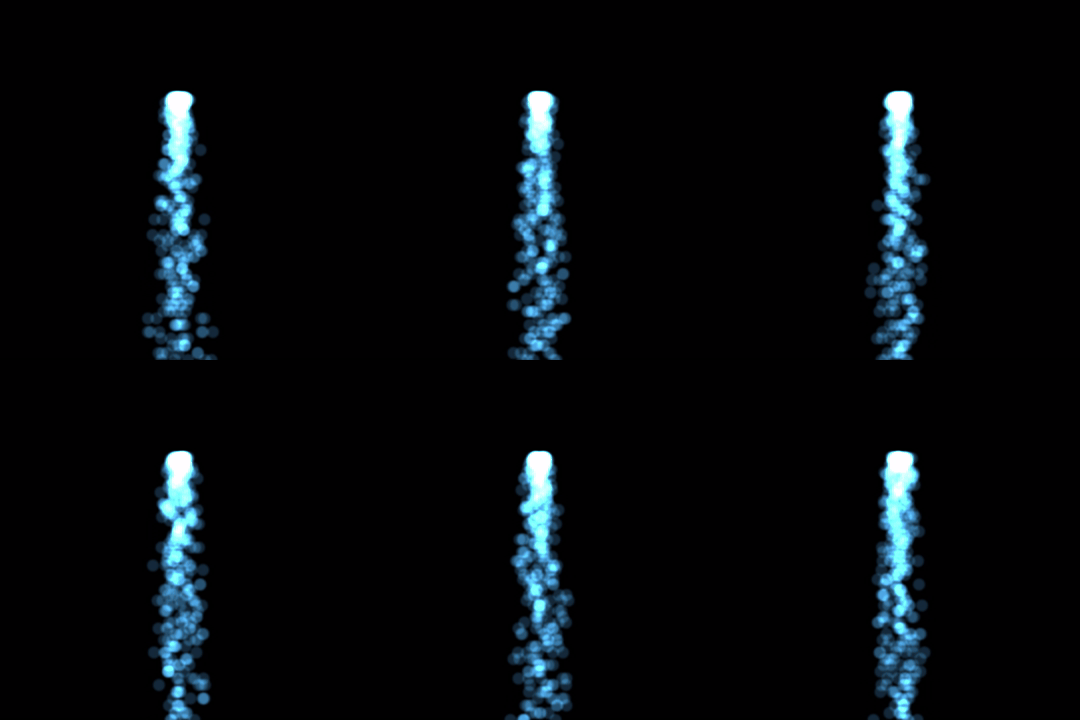
Learn how to create a steady stream of waterfall particles which fall due to gravity in this Processing tutorial, written in the Java programming language.
To complete this tutorial, you will need to have followed the previous smoke particle tutorial here.
Add Force
In order to create the waterfall particles, we will need to add gravity as a force to all the particles. So first of, we will create a function in the Particle class to add force to the particle.
  void AddForce(float x, float y)
  {
    if(!active) return;
    force.add(x, y);
  }
Next in the ParticleSpawner class we will add another function, which will apply the same force to every active particle.
  void AddForce(float x, float y)
  {
    for(Particle p : particleList)
      p.AddForce(x, y);
  }
This will allow us to add the gravity later.
Waterfall Update
Next we will create a function called WaterfallUpdate in the main tab. This function will create and update the waterfall particles.
void WaterfallUpdate()
{
  final int spawnTime = 10;
  if(millis() - lastTime > spawnTime)
  {
    lastTime = millis();
    final int count = (int)random(5, 7);
    final float x = width / 2;
    final float y = height * 0.3;
    for(int i=0; i<count; ++i)
    {
      Particle p = particleSpawner.Spawn();
      p.image = particleImage;

      p.lifeTime = 1500;

      p.pos.set(random(x - 12, x + 12), y);

      final float r = Signum(randomGaussian());
      p.velocity.set(random(0.05, 0.75) * sin(millis()) * r, -3.0);

      p.col = color(80, 180, 255, 60);
    }
  }

  // Gravity
  particleSpawner.AddForce(0, 0.2);

  particleSpawner.Update();
}
The function is mostly the same as the smoke particles function in the previous tutorial. However the first difference is the y position of the particles. The particles will be created at the top of the screen, since the particles will fall down due to gravity.
final float y = height * 0.3;
The next change is the life time of the particles. The particles will now all die at the same time, instead of at random times.
p.lifeTime = 1500;
Since we are dealing with water, the colour has been set to a mostly blue colour.
p.col = color(80, 180, 255, 60);
The final change is to add gravity to all the particles, every frame.
particleSpawner.AddForce(0, 0.2);
Draw function
Go to the draw function.
void draw()
Replace this:
SmokeUpdate();
With this:
WaterfallUpdate();
Run the Sketch
Now it’s time to have some fun and run the sketch. Press CTRL + R or click on the triangle play symbol.
You should see a steady stream of water particles falling downwards.
Conclusion
Congratulations on completing this tutorial! Feel free to experiment with different particle shapes, colours, spawn rates and random number generation functions.
Thanks for reading this tutorial, let me know in the comments section if you enjoyed it.
 Agate DRAGON Games