

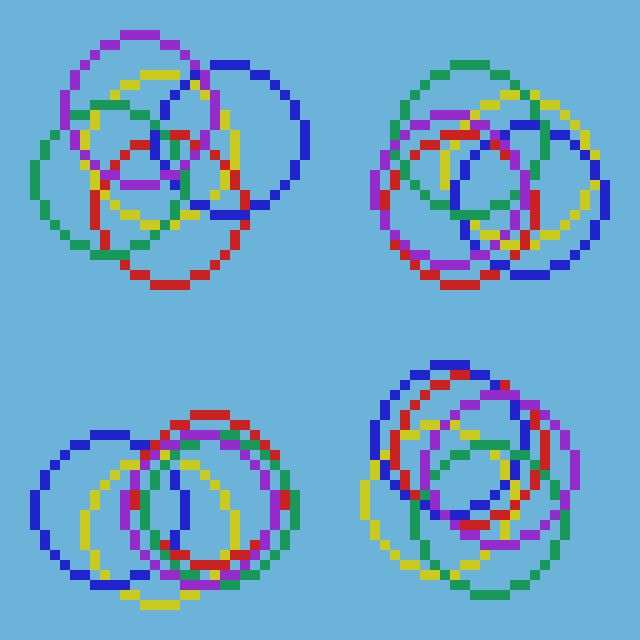
I created this fun and crazy circle animation in Processing using the Java programming language. The effect is made using time, random functions and Perlin noise.
Aseprite
I first started by creating a mockup animation in Aseprite.
Setup
I then created a position variable to represent where the effect is rendered on the screen.
PVector position = new PVector();
Next I created a class called “Data”, to store the variables for each donut circle.
class Data
{
  float offset = 0;
  color col = color(0);
  float radius = 1;
  float size = 1;
}
I then created a list to store the data in.
ArrayList<Data> offsetList = new ArrayList<Data>();
Next I created a “AddData” function, which adds the data for a single circle to the list.
void AddData(float offset, color col, float radius, float size)
{
  Data data = new Data();
  data.offset = offset;
  data.col = col;
  data.radius = radius;
  data.size = size;
  offsetList.add(data);
}
Inside the “setup” function I set the size of the sketch and use the P3D renderer. I turn on 8x anti-aliasing to smooth the circles, then lock the frame rate to 120 so that the animation is more consistent.
  size(720, 720, P3D);
  // 8x anti-aliasing
  smooth(8);
  frameRate(120);
Next I created 100 circles with randomised values. You will see how these values are used later.
  for(int i=0; i<100; ++i)
  {
    AddData(random(-1000, 1000), color(random(255), random(255), random(255)), random(32, 384), random(32, 256));
  }
Render Ellipse
Then I wrote a function to render the circles, using the Processing “ellipse” function.
void RenderNoiseEllipse(Data data)
{
  float t = (millis() + data.offset) / 1000.0;
  float rx = noise(t) * 2.0 - 1.0;
  float ry = noise(t + 500.0) * 2.0 - 1.0;
  float x = rx * data.radius;
  float y = ry * data.radius;
  stroke(data.col);
  ellipse(position.x + x, position.y + y, data.size, data.size);
}
The offset value in the data is used to offset the current time. The value is converted to seconds, since milliseconds would too quick! Then this number is plugged into the Perlin noise function, and converted to the -1 to 1 range. Note that the y value uses a hard coded value to make it different from the x value.
Then the value is multiplied by the data’s radius value, to control how far away it will move from the origin. This value is then added to the origin position later.
The stroke colour and size of the ellipse are set using the value in the data class instance.
Draw
Inside the Processing draw function, the screen colour is cleared to a bright grey. Then the stroke size is set, and no fill is specified for rendering the ellipses since I wanted them to be donuts. Finally I loop through all the data and draw each circle in turn.
void draw()
{
  background(180);

  strokeWeight(8);
  noFill();
  for(Data data : offsetList)
  {
    RenderNoiseEllipse(data);
  }
}
Conclusion
Thanks for reading this post! Feel free to play around with the code.
 Agate DRAGON Games