
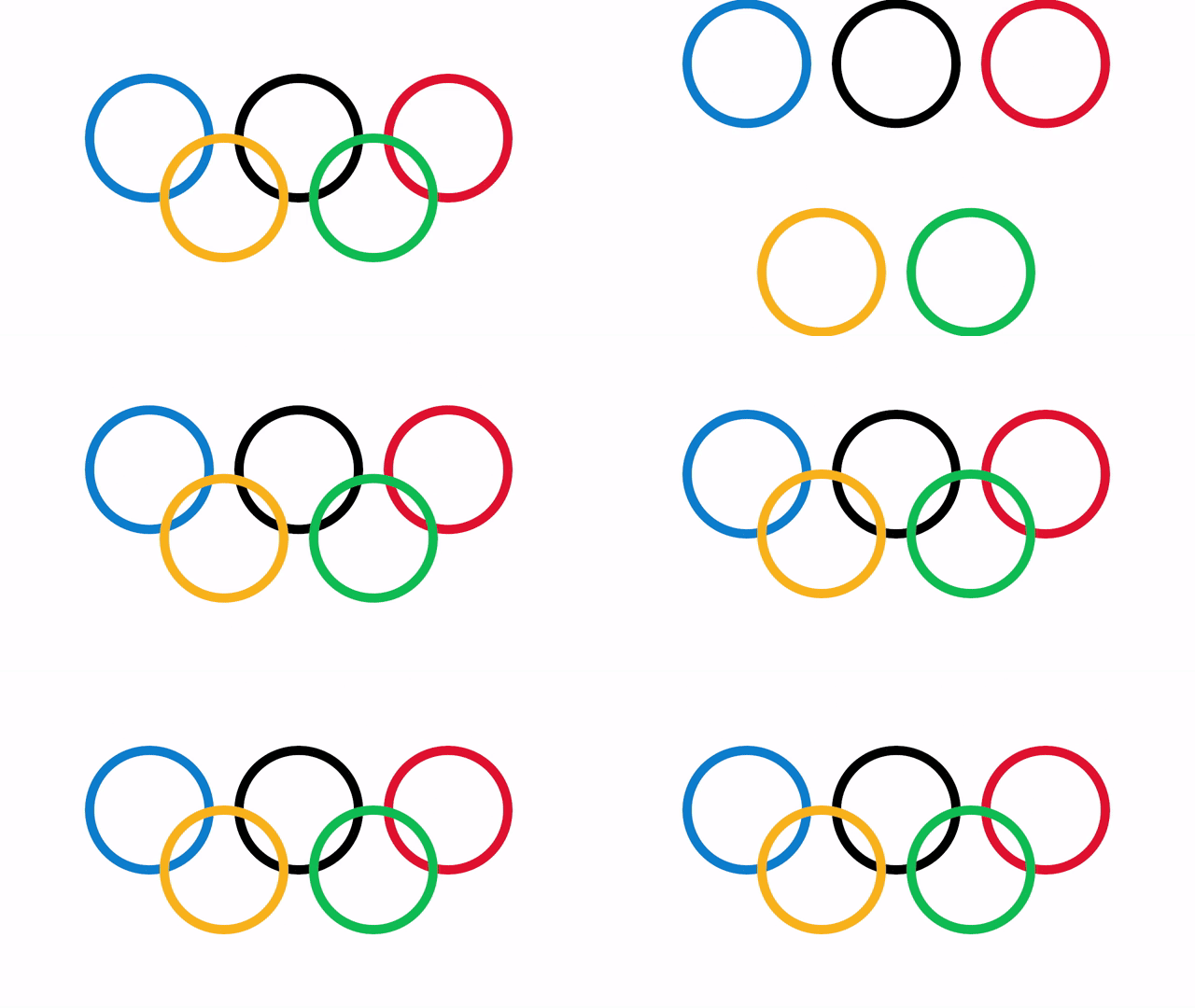
I created this Olympic ring animation to celebrate the Olympic games. The animation was coded in Processing using the Java programming language.
What is Processing?
“Processing is a flexible software sketchbook and a language for learning how to code. Since 2001, Processing has promoted software literacy within the visual arts and visual literacy within technology. There are tens of thousands of students, artists, designers, researchers, and hobbyists who use Processing for learning and prototyping.”
Link to the Processing site.
Olympic History
The five rings represent the inhabited continents of the world we live in: Africa, America, Asia, Europe, and Oceania.
The five colours were picked because they are common to almost all the flags around the world.
Olympic Motto
The motto was introduced in 1924 at the Olympic Games in Paris by Pierre de Coubertin.
“The most important thing in the Olympic Games is not to win but to take part, just as the most important thing in life is not the triumph but the struggle. The essential thing is not to have conquered but to have fought well.”
More information available here.
Implementation
I started by creating the ring shape by drawing an ellipse with a thick stroke size.
strokeWeight(20);
noFill();
stroke(col);
ellipse(x, y, diameter, diameter);
Then positioned the top 3 rings, and put the bottom 2 rings below. Each ring is given a different colour.
The top rings start outside the top of the screen. And the bottom rings start outside the bottom of the screen. So each ring is given a start and end point.
The ring’s current position is calculated based off of the current time since the sketch started. This value needs to be in the 0 to 1 range. Where 0 represents the start, and 1 represents the end.
lerpAmount = (millis() - startTime) / (float)endTime;
lerpAmount = Clamp(lerpAmount, 0.0, 1.0);
The animation was created using linear interpolation and an easing function. The easing function makes the animation move quickly, then slowly. Since this is more interesting than moving at a constant speed.
float a = EaseOutCubic(lerpAmount);
float x = lerp(start.x, end.x, a);
float y = lerp(start.y, end.y, a);
I control the animation using a state machine pattern with 2 states, called play and wait. The play state plays the animation, then switches to the wait state. The wait state waits ‘x’ time, before returning to the play state to restart the animation.
enum State { PLAY, WAIT };
State state = State.PLAY;
To smooth the rendering of the rings, I used the P3D renderer, and turned on 8x anti-aliasing in the ‘setup’ function.
size(1280, 720, P3D);
// 8x anti-aliasing.
smooth(8);
Conclusion
Thanks for reading this post!
 Agate DRAGON Games